Get ISO/IEC 27001 consulting from Sterling
Expert and experienced consultants, 8,100+ client engagements in 60+ countries, from gap assessment to a system ready for its certification audit.
Talk to a Sterling consultantAwareness training · Security at work
Part of the ISO/IEC 27001:2022 learning path → Step 1
Online training to make informed security decisions part of everyday work.
The training helps your people recognise phishing, payment fraud and other common threats, and understand safer ways to use passwords, information and AI tools.
It supports the awareness requirement of ISO/IEC 27001:2022 for everyone who works with the organisation's information.
Secure payment by Stripe · for yourself or for your team
Add another course and save 15%, up to 25%
What you get
About 112 minutes, with captions. Watch at your own pace on any device.
Short questions check your understanding before you move on.
Multiple choice, with one retake if you need it.
Industry experts, domain specialist trainers and globally renowned auditors with 30+ years in ISO and GRC.
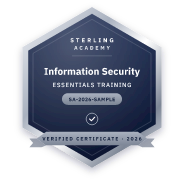
Verifiable certificate with a QR code anyone can scan, plus a digital badge to add to your LinkedIn profile.
See how verification works →Save when you take more than one course
The discount is added automatically in your basket.
Standard and edition
Last updated31 October 2026
Preview this course
Watch a sample from Information Security Essentials before you enrol.
What learners say
Every course is built by the experts behind 8,100+ client engagements in 60+ countries, so you learn what auditors and regulators actually expect. Here is what professionals said after finishing their course.
Informative
10/10 for Philippines Data Privacy Act and DPO Training
Best value
All-Access Pass
A pharma and life sciences professional from the USA started with one course, then upgraded to the All-Access Pass.
Every Sterling Academy course for 12 months.
US$499
See the passA selection of comments from learners who finished a course and answered our feedback request, shortened from their own words. Client names available on request.
Learning outcomes
Connect the subject to the responsibilities and decisions people encounter in their roles.
Part of: Information Security and ISO 27001 Training
Part of: Information Security & Privacy
Inside the course
12 modules, 12 practice checkpoints and a final exam. Video runtimes are approximate; allow additional time for the practice questions and the final exam.
Shows how to spot phishing in e-mail, texts, calls, QR codes and chat apps from four warning signs, and the one habit that stops it.
Opens the Information Security Essentials training course, twelve modules in three parts, with three fake messages in one working day. Explains social engineering and phishing, how common it is from Anti-Phishing Working Group and FBI figures, and the five places bait arrives, including smishing and vishing. Sets out four signs, pressure, authority, a request and something slightly wrong, why a known name is not enough, and the habit of stop, check and report, with extra steps for managers and IT support.
What you will be able to do
Why it matters
You will receive these messages, so what you do next decides whether a password, money or data is lost.
Practice: Practice: Phishing: e-mail, texts, calls, QR codes, chat apps · 3 questions
Explains how criminals impersonate suppliers and bosses to redirect payments, and the call-back rule that stops a false request.
A Thursday afternoon brings a supplier's changed bank details and a voice note from a finance director. The module defines business e-mail compromise, describes the Arup case as technology-enhanced social engineering, and names the warning signs of urgent and secret together. It covers voices and faces faked with technology and the call-back rule, then covers gift card requests and what to do if money has gone.
What you will be able to do
Why it matters
A few minutes on the phone can stop a false payment before any money leaves, whoever seems to be asking.
Practice: Practice: Payment fraud and impersonation · 3 questions
Covers strong passphrases, the second sign-in step, password managers, passkeys and what to do with a sign-in request you did not start.
Late-night sign-in requests that you never started introduce multi-factor authentication and the trick called push bombing. The module explains how criminals obtain passwords and why length beats complexity, using a quiz of three passwords. Three rules cover unique passwords, e-mail first and password managers. It describes passkeys, what to do after approving a request by mistake, and points for managers and IT teams.
What you will be able to do
Why it matters
A strong password plus a second step stops an attacker who already has one, unless someone is tricked into approving the request.
Practice: Practice: Passwords, MFA and your accounts · 3 questions
Shows how to send, share, print and dispose of information without it reaching the wrong people, starting from information labels.
A busy Friday evening ends with a salary review sent to the wrong Priya and a client folder shared with anyone who has the link. The module explains four example labels, three checks before pressing Send, BCC for group e-mails and the settings on sharing links. It compares attachments with links, covers reporting a mis-sent message, paper and old devices, and spoken conversations.
What you will be able to do
Why it matters
Most leaks are slips by busy people, and the sooner your organisation hears about one, the more it can do.
Practice: Practice: Handling and sharing information · 3 questions
Explains what personal data is, the habits for handling it, requests from individuals and why a breach is reported within hours.
A customer asks to delete everything held about them while a spreadsheet of sick notes goes to the wrong team. The module defines personal data with a short quiz and names privacy laws in the UAE, India, the Philippines and Australia, and in the European Union the General Data Protection Regulation, known as the GDPR. It sets out four handling habits and extra care for sensitive data. Rights requests go to the privacy contact the same day.
What you will be able to do
Why it matters
Privacy laws put duties on your organisation, and it meets them through what its people do every day.
Practice: Practice: Data privacy for everyone · 3 questions
Covers working securely at home, on the move, on video calls and online, including public Wi-Fi and what never to post about work.
An airport lounge scene shows a screen facing a stranger, a client call on speaker and a boarding pass posted online. The module explains why rules travel with you and covers keeping work to work devices at home. Shoulder surfing, public Wi-Fi and VPN use are explained, along with habits on the move. Video-call sharing, social media and false recruiters are covered, plus home router care.
What you will be able to do
Why it matters
The office rules do not stay at the office, so your own habits protect work wherever you are.
Practice: Practice: Working safely anywhere · 3 questions
Covers updates, approved software, USB sticks, lost devices, backups and the first moves when malware or ransomware strikes.
A USB stick labelled Salaries is plugged in, and a week later ransomware notes appear in every folder. The module defines malware and ransomware, cites the Capita case to show how speed decides spread, and explains installing updates at the first sensible moment. It covers fake update pop-ups, approved software, found USB sticks, lost devices and backups, then four first moves: stop, take a photo, call IT and follow its instructions.
What you will be able to do
Why it matters
One download can start an attack, and reporting fast decides how far it spreads.
Practice: Practice: Devices, updates, malware and ransomware · 3 questions
Explains where work information can end up when staff use AI chats, public online tools and browser add-ons that the organisation has not approved.
A sales executive pastes a draft contract into a public AI chat and uploads a price list to an online converter, introducing shadow IT and shadow AI. The module separates public tools from approved ones and lists what must never go into a public tool. A High Court case with non-existent citations shows why output must be checked. Online converters, browser add-ons, note-takers and personal accounts are covered.
What you will be able to do
Why it matters
An unapproved tool leaves your organisation with less sight and less control of its information.
Practice: Practice: AI tools and unapproved apps · 3 questions
Covers keeping the workplace itself safe, from tailgating at the door to badges, visitors, locked screens and a clear desk.
A stranger with two coffees asks you to hold the door, which introduces tailgating. The module sets out three steps at the door: tap in yourself, offer help, and point them to reception. It covers wearing and guarding your badge, signing visitors in and out and handling deliveries. Two desk habits follow: lock the screen whenever you stand up and clear confidential papers away. A quiz uses an empty desk.
What you will be able to do
Why it matters
A locked door only protects the workplace if nobody holds it open for a stranger.
Practice: Practice: Physical security and the clear desk · 3 questions
Explains how to spot and report a security incident: what counts, including near misses, how fast to report it, and what a useful report says.
Three small moments in one week: a spreadsheet sent to the wrong Sam, a stranger with no badge by the lifts and a sign-in request at night. Defines an incident, gives eight examples from the course, and applies stop, check and report. Sets out the four facts a useful report gives, the two unhelpful moves of playing detective and tidying it away, why speed matters, including the GDPR 72-hour clock for the organisation, and why reporting carries no blame.
What you will be able to do
Why it matters
The sooner you report, the smaller the damage, and a near miss reported today can stop the real thing tomorrow.
Practice: Practice: Spot it, report it: your part · 3 questions
Covers social media, oversharing and deepfakes: what public posts tell a criminal, how to check fake accounts, and what to do about a faked face or voice.
A finance team member's public profile, a tagged photo and a conference video give a criminal every detail for a fake voice note from her manager. Explains oversharing as a jigsaw, then the 2024 cases at WPP and Ferrari. Covers FBI and National Cyber Security Centre advice, Sterling's recommended ten-minute routine for your accounts, four checks for fake accounts, what deepfakes are, and what to do when a fake of you or a colleague appears, including a faked chief executive video.
What you will be able to do
Why it matters
Every public detail can make a criminal's message more convincing, so sharing on purpose protects your organisation and you.
Practice: Practice: Social media, oversharing and deepfakes · 3 questions
Brings the information security habits together in one busy working day: ten small decisions, from a sign-in request at dawn to a scam call at night.
Follows Maya, in the customer team of a mid-sized company, through an ordinary Tuesday: a sign-in she did not start, a call on the train, a parcel text, new supplier bank details with a faked voice note, three lunchtime shortcuts, a file sent to the wrong Priya, a courier at the side door, an update, a team photo and her father's call. Draws out three lessons and one habit from each module of this training course, then a payroll file request on a Friday.
What you will be able to do
Why it matters
Pressure is when habits slip and criminals know it, so small habits kept on a busy day add up to real security.
Practice: Practice: Putting it together: a working day, and your part · 3 questions
Frequently asked questions
About Information Security Essentials, its certificate and enrolment.
Ask SterlingYes. Sterling Academy's ISO/IEC 27001 courses are built by the Sterling consulting group, which has taken organisations to certification across 8,100+ client engagements in 60+ countries over 20+ years. They cover the awareness, implementation, internal auditor and specialist levels, always on the current edition, with practice questions that show the right answer. Each course ends with a final exam and a verifiable certificate that anyone can check online, plus a LinkedIn badge, and client administrators can show an auditor exactly who has been trained. You will understand what ISO/IEC 27001 asks of you, contribute to your organisation's implementation and audit readiness, and play your part with confidence when the auditor visits. Sterling Academy courses carry the same content as Sterling's classroom training, whose certificates are trusted and accepted by all major certification bodies, as evidence of training at client audits for over 20 years.
Awareness: ISO/IEC 27001:2022 Awareness · Implementation: ISO/IEC 27001:2022 Implementation Training · Internal auditor: ISO/IEC 27001:2022 Internal Auditor Training · Specialist: ISO/IEC 27002:2022 Information Security Controls
It is for employees who handle business information in any role: office, operations, sales, finance or support. It needs no technical background. The course helps people recognise the everyday threats that reach them by e-mail, phone and message, and build safer habits at work. It is also a natural first step before Sterling Academy's ISO/IEC 27001:2022 Awareness course.
The course helps your people recognise common phishing and payment fraud scenarios, understand safer password and information-handling practices, and recognise the risks of using AI tools at work. It focuses on practical decisions that employees make every day, so that informed security choices become part of normal work rather than a once-a-year compliance exercise. It supports the awareness requirement of ISO/IEC 27001:2022 for everyone who works with the organisation's information.
Information Security Essentials is a set of short video modules followed by practice questions and a final exam. The course page shows the current number of modules and the approximate video runtime; allow additional time for the practice questions and the exam. With 12 months of access, you can complete it in one sitting or spread it over several sessions.
Yes. Learners who reach the 70% pass mark in the final exam receive a Sterling Academy Certificate of Completion for Information Security Essentials. Each certificate carries a unique number and a QR code, and anyone can check it online using the certificate number and the holder's surname. It is a training certificate for the individual learner.
Yes. Information Security Essentials is a self-paced online course made of short video modules, in English with captions. You study at your own pace during 12 months of access, and practice questions after modules help you check your understanding before the final exam. If a point is unclear, questions are answered by a Sterling consultant.
Information Security Essentials is US$19 per learner. Teams save 20% for 11 to 50 learners and 30% for 51 to 200 learners; 201 or more learners are priced on request. Client administrators can track their team's progress. Prices are in US dollars, excluding taxes, and Sterling confirms final pricing and enrolment.
Yes. Alongside phishing, payment fraud, passwords and information handling, Information Security Essentials helps learners recognise the risks that arise when using AI tools at work. The aim is for employees to make informed security decisions about what information they share and how they use such tools, as part of everyday work.
Learning path
This course
Recognise cyber threats and build safer habits at work.
Next step
Help every employee understand their role in protecting information.
View courseYour certificate
You will understand what ISO/IEC 27001 asks of you, contribute to your organisation's implementation and audit readiness, and play your part with confidence when the auditor visits. Your certificate can be verified online in seconds, so certification body auditors, employers and clients can confirm your training instantly.
Complete the course and its final exam and you receive a Sterling Academy Certificate of Completion, verifiable online by QR code, with a LinkedIn badge to share.
Sterling Academy courses carry the same content as Sterling's classroom training, whose certificates are trusted and accepted by all major certification bodies, as evidence of training at client audits for over 20 years.
Ask about course requirementsYour next step
Not sure which course?